
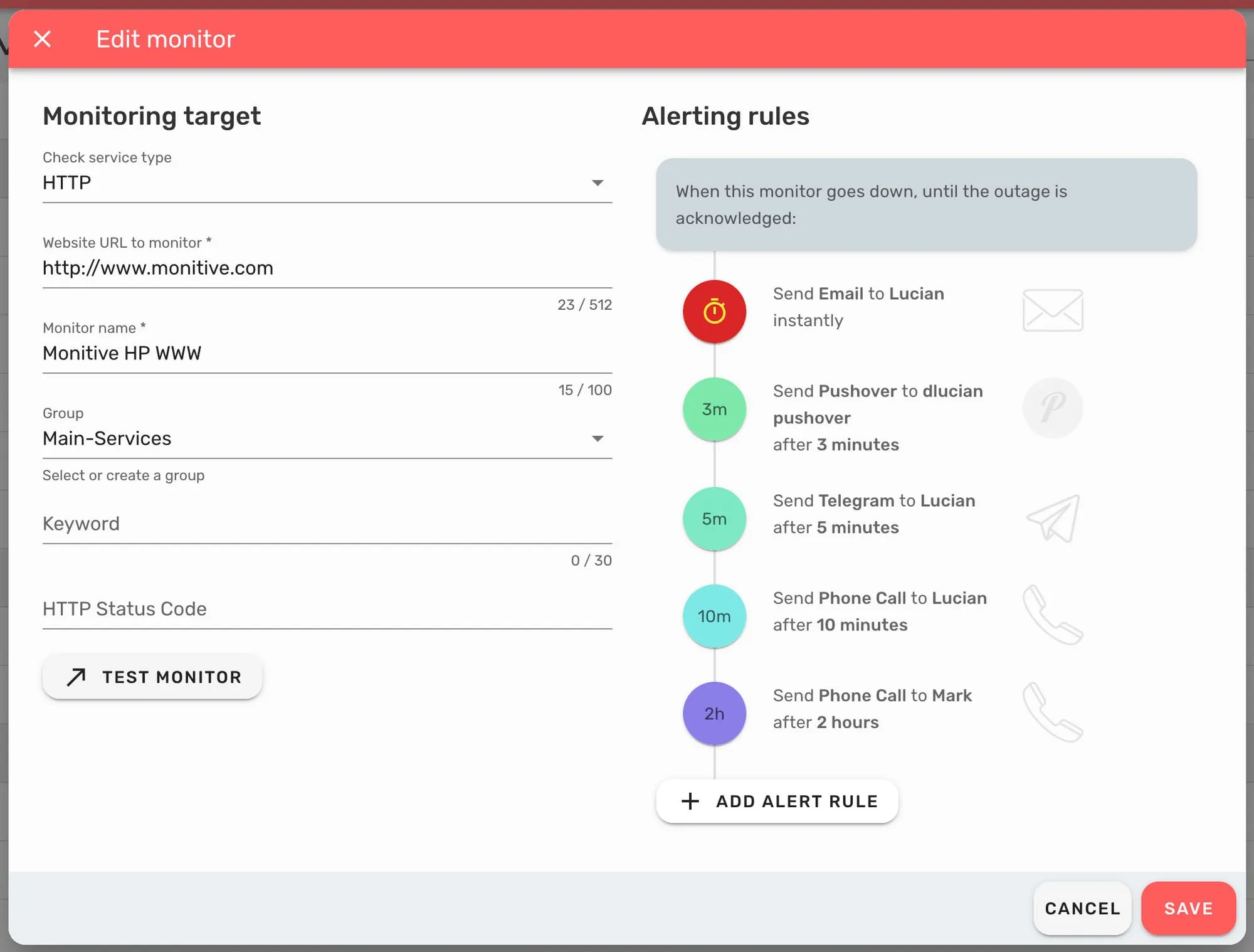
This release brings some pretty cool updates to the add/edit monitor box, including a major revamp of the alerting rules - the settings of a monitor that determine who gets alerted, when they get alerted and how they get alerted.
On the Add / Edit Monitor dialog you might notice a few changes:
- It’s in two columns on desktop;
- The Test Monitor button is just below the monitoring settings;
- The Alerting Rules are easier to skim;
- The Save button is in the lower right;
- There is a Cancel button next to the Save one (but you can still close the dialog from the upper left X button).
On the Alerting Rules front there have been major updates:
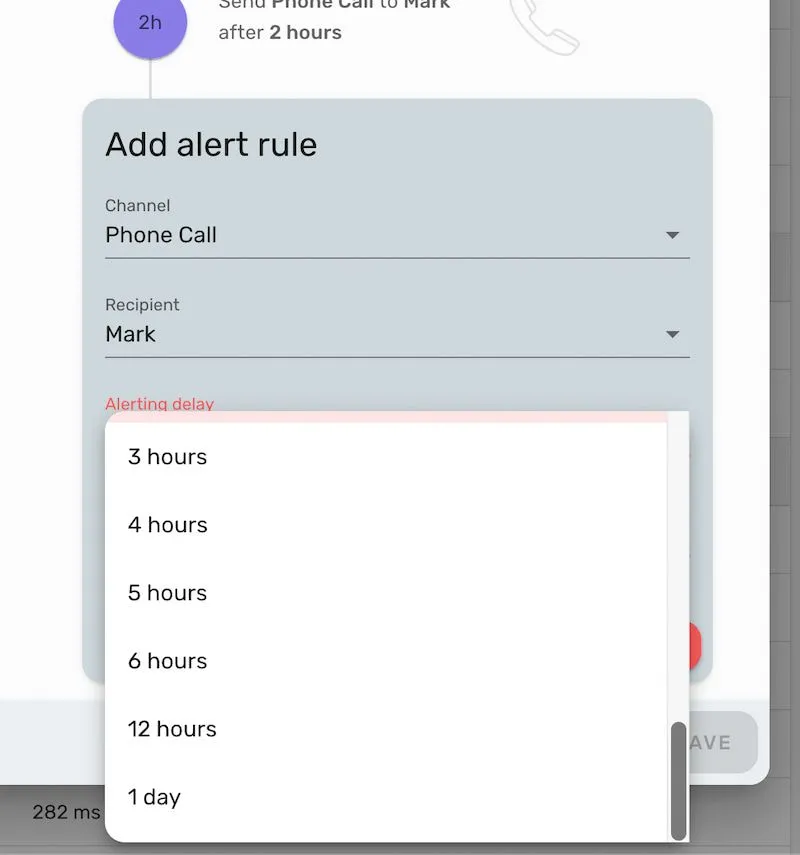
The biggest change of the alert rules is the ability to set different recipients on the same channel at different delays, for example you can set to call someone after 2 minute of downtime and then someone else after 10 minutes.
Also we added more delay options, up to 1 day. Whatever works for you!
Admin v0.38.0 Updates
Changed
- Add/edit monitor screen and flexible alert rules (#356)
- Timeline alert rules settings (#358)
API v1.35.4 Updates
Fixed
- Remove free-plan-maintenance scheduled run (#931)
- Only list recipients that are available (#929)
- Create alert rules for enabled channels only (#928)
- Delete unconfirmed accounts (#919)
- Enforcing free accounts benefits (#917)
- Retry failed phpunit tests in the pipeline (#934)