Increase rate limit for quicktests API v2.2.7
When running a quick test from monitive.com's homepage, a throttling protection might kick in breaking the flow and preventing the quicktest from completing.
New features, fixes and improvements to the Monitive uptime monitoring service.
When running a quick test from monitive.com's homepage, a throttling protection might kick in breaking the flow and preventing the quicktest from completing.
A series of security updates have been released today.
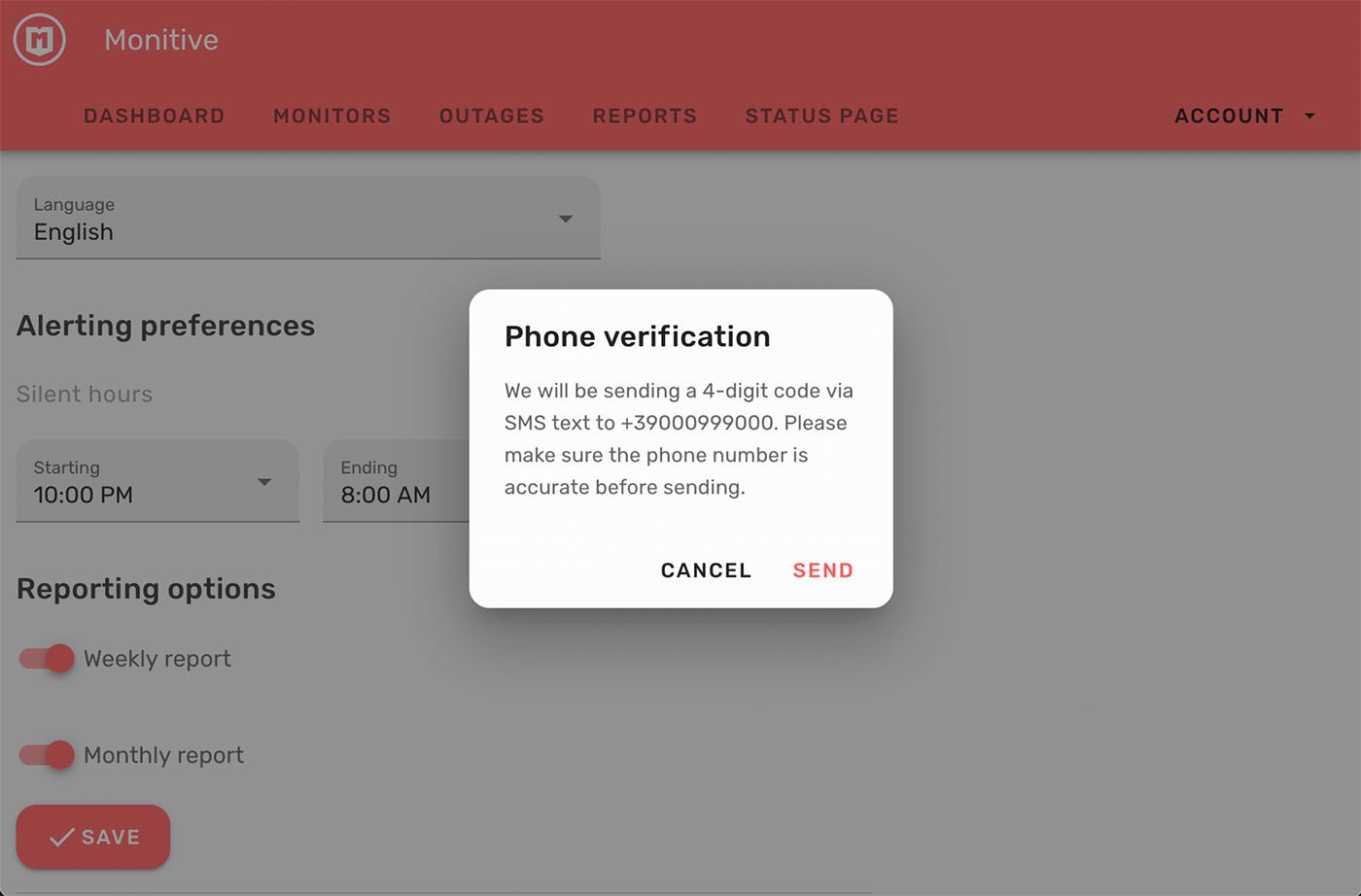
When adding recipients, the recipient has to be verified with an OTP code before it is added. This prevents adding invalid or un-approved alerting recipients.
We defined 4 categories of endpoints according to their abuse vulnerability, from GET requests that are the lightest to number four, POST request that generate costs in our or external systems. We added rate limiting for each category so any abuse will be logged and rejected with HTTP 429 Too Many Requests. I'm still debating if we should also block the IP or not. We will assess this later.
We've limited the test feature of the recipients to 10 tests for free/trialing accounts. Paid accounts have no such limitation, but the overall throttling protection will kick in if abuse is detected.
The Progressive Web Application code was not behaving as required, so we decided to remove it until a better version is thoroughly tested. This version had a few side effects, one of which was that it would cache the admin interface indefinitely, requiring a hard refresh to get the latest version, which is unacceptable.
If you scroll to the footer of the Admin area and you don't see Admin v0.41.2 (minimum), it means you're stuck with an older version of the frontend interface.
On Firefox, Command/Ctrl + Shift + R forces a hard refresh and you should get to the latest version.
On Safari, go to Safari menu → Develop → Empty Caches, then reload with Command + R.
Also, we added proper caching headers, so that HTML is never cached, and static resources (which are versioned), are cached indefinitely.
This version contains a React version update, now using React v18 for Wrangler and other Node-based tools. We also switched from yarn to npm to better address dependencies.
Now when answering a phone call alert it will be marked as acknowledged. This helps keep track of which alerts were successfully delivered when it comes to phone call alerts.
Minor updates such as package updates and changing our logging provider to Graylog, for better control of logging inputs.
Today we had an OTP attack causing a lot of SMS messages being sent in a short time. This update is the main protection of this ever occurring again.
The attack started yesterday at 19:33 UTC and ended at 22:26 UTC. For security reasons we are not going to disclose all the details, but feel free to ask us directly.
As a result of this attack, the signups, SMS alerts and Phone Call alerts were disabled all day.
More limitations will be added in the following days, but a normal user shouldn't be able to trigger them.
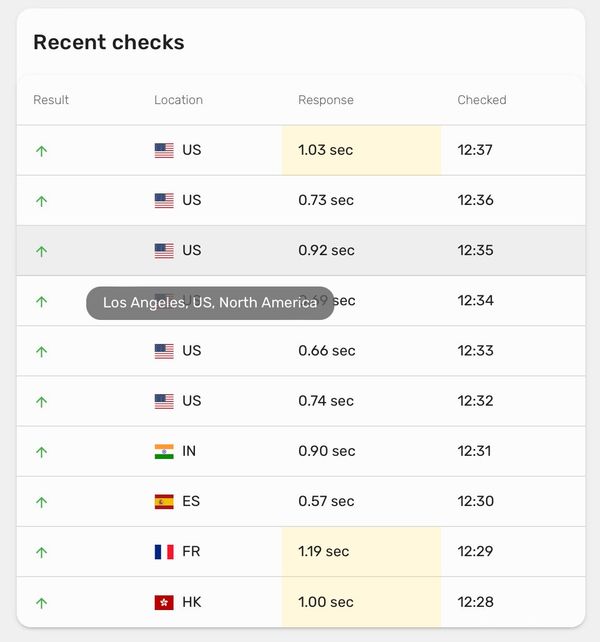
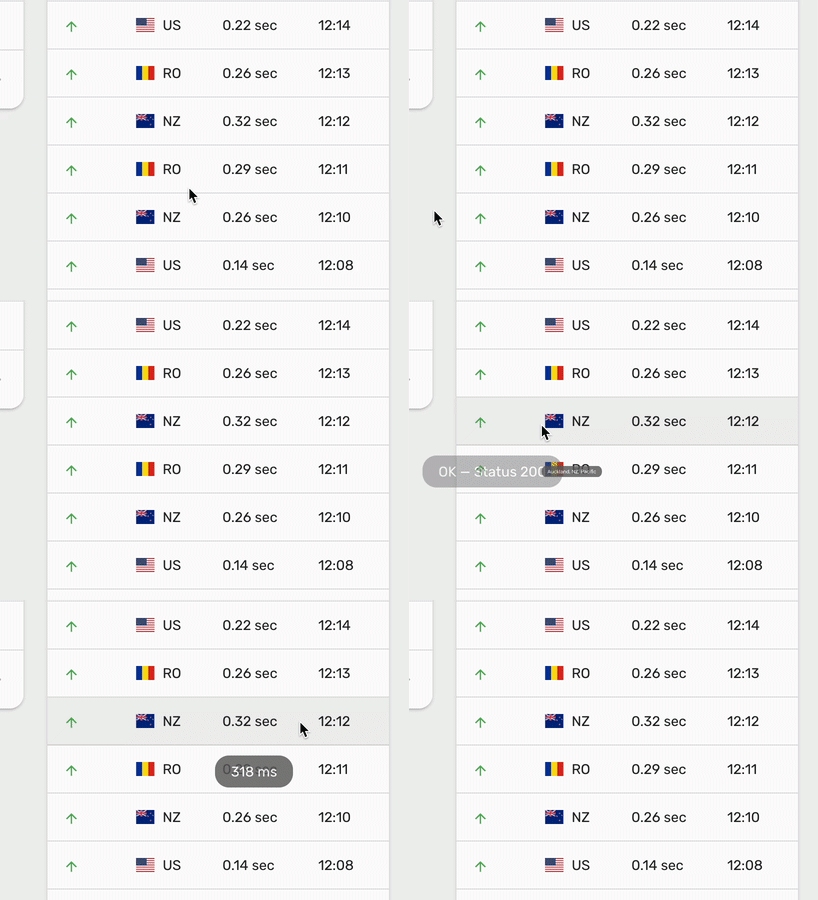
We're excited to announce a small but mighty enhancement to our recent checks table on the "view monitor" page. Now, when you hover over the location column, you'll see a tooltip that displays the city, country, and area.
It will also display the status code for HTTP checks, the full date and time of the check, and the latency in milliseconds when hovering on the corresponding components.

This may seem like a small change, but it's a big deal when it comes to debugging issues that are happening only from certain monitoring nodes that are in the same country.
Before, it was difficult to tell which nodes were acting up. But now, with this enhancement, it's much easier to pinpoint the exact location of any issues, making troubleshooting a breeze.
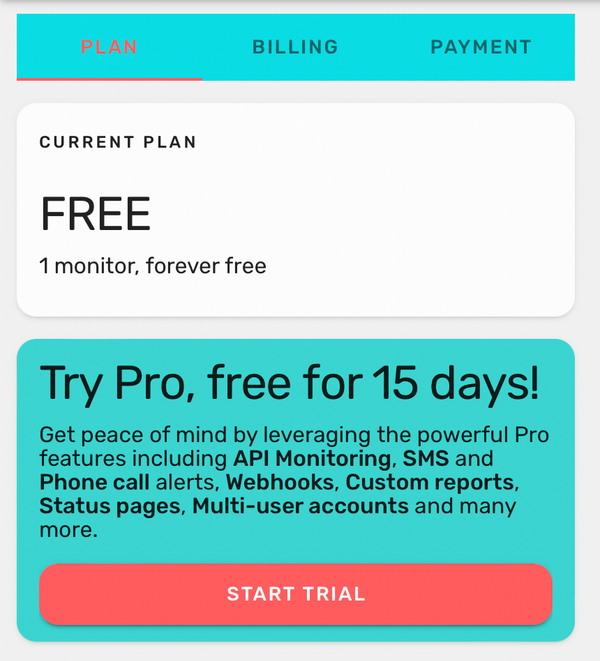
Starting today, if you signed up for a free account, you were definitely missing out on the Pro features that we give for free for a 15-day trial period. That's why, starting now, if you have a phone number in your account, you can jump-start your free 15 days Pro trial with no strings attached.
We also squashed some more pesky bugs 🪲 that were making the Free account users lives harder.
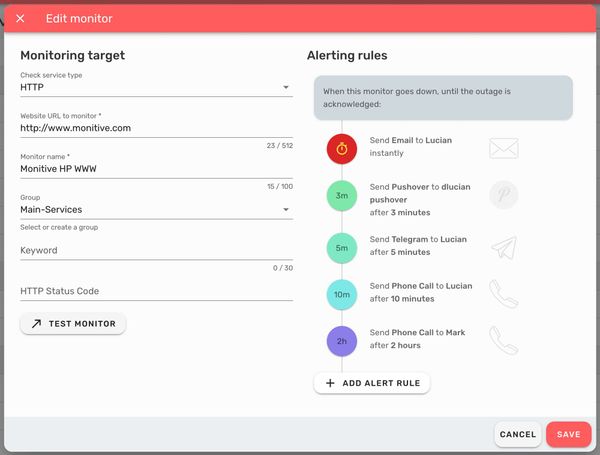
This release brings some pretty cool updates to the add/edit monitor box, including a major revamp of the alerting rules - the settings of a monitor that determine who gets alerted, when they get alerted and how they get alerted.
On the Add / Edit Monitor dialog you might notice a few changes:
On the Alerting Rules front there have been major updates:

The biggest change of the alert rules is the ability to set different recipients on the same channel at different delays, for example you can set to call someone after 2 minute of downtime and then someone else after 10 minutes.
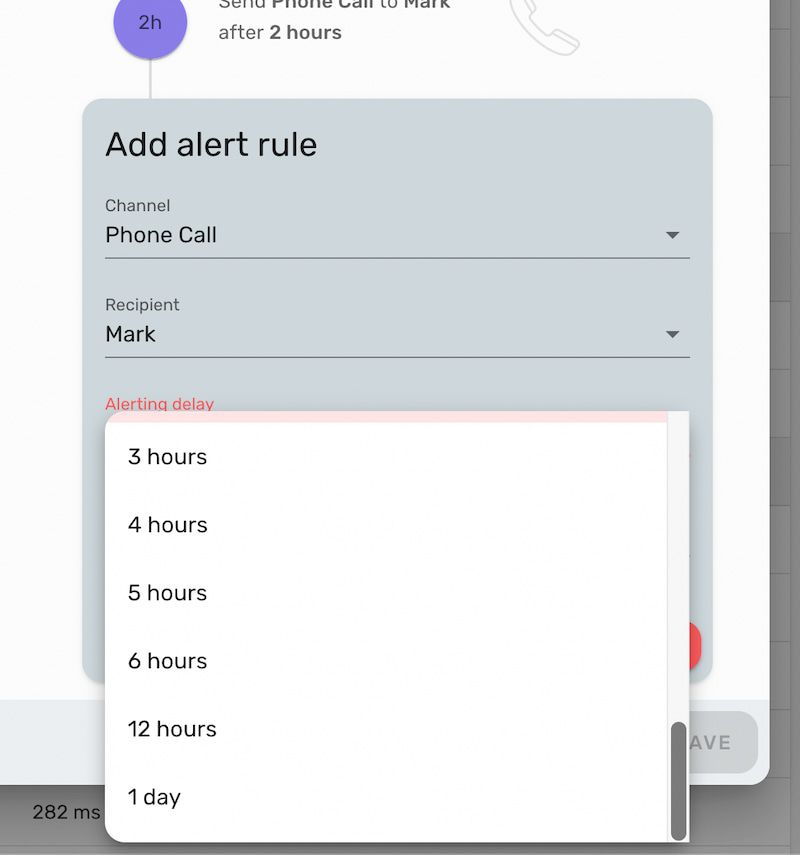
Also we added more delay options, up to 1 day. Whatever works for you!
This release fixes some important issues that we discovered recently, so it's more of an under-the-hood update. Very important one, nevertheless.
/domains endpoint (#897)This is mainly addresses stability issues and includes media used in the Black Friday special campaign.
Added a simpler way to list the IPs where we're checking the websites from, so our users can easily script in whitelisting or other network automations.
The always-up-to-date list of monitoring locations is, from now on, available at https://api1.monitive.com/locations.
A secondary improvement is the sample monitor. Whenever someone signs up for a new Monitive account, they get an empty dashboard, empty screens, as we've just started to gather data about their monitor's uptime.
No more.
From now on, whenever someone signs up, we're also including a sample monitor, just two months old, but enough to give an idea of what Monitive does and how it looks like when it does it.
/locations (#817)This release is addressing some issues that we had to fix and also cleaning up our code by removing some components that have been retired.
With this release, we're enabling signups again, so if you've been waiting to get your Monitive account, now is the time.
We've taken several steps towards ensuring that all signups in our system are valid, by verifying phone numbers when signing up for free accounts, and also when updating an account's phone number.

Besides this, we squashed a few bugs 🐛 to make your experience even better.
This is a stability and security update involving several packages upgrades and bugfixes. Starting with this release, we've started a series of updates targeting confirming accounts (including emails and alerting options). More about this soon.
This is a stability and security update.
This is mainly a security update, plus two minor updates.
A few back-end updates of packages, to get safely through the holidays.
This is a set of small fixes, addressing issues that were around for a while.
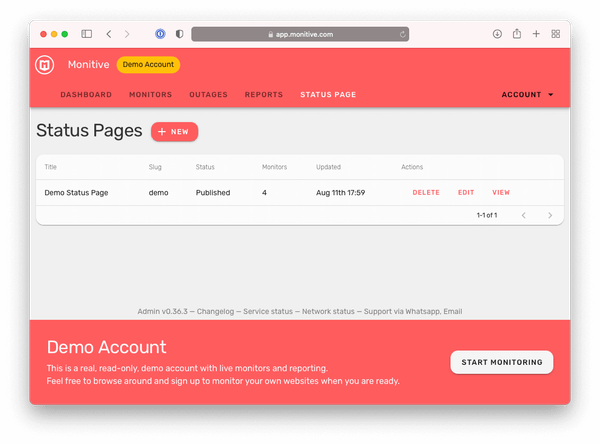
dataLayer existence when firing GTM (#296)Starting today, any visitor of monitive.com can automatically sign into a demo account and see what Monitive is all about.
Check it out – https://app.monitive.com/#/demo-account
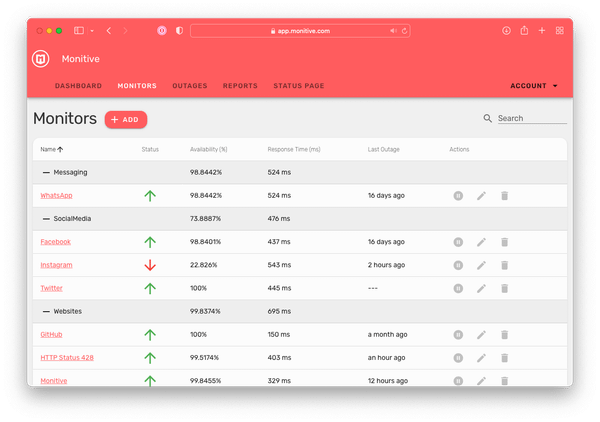
The new feature in this release is support for a read-only demo account, where a visitor of monitive.com can access with just one click. This is an active, live account, monitoring several websites, where any user can get a feel of how Monitive looks and works.
Besides the demo account support, these two releases include fixes for several issues in our system. Our first and foremost focus is on providing a stable and reliable system, therefore any bugs found have priority compared to other features.
monitive:setup (#728)These releases bring some under-the-hood improvements and fixes to quick-tests, alerting system, custom reports and user management.
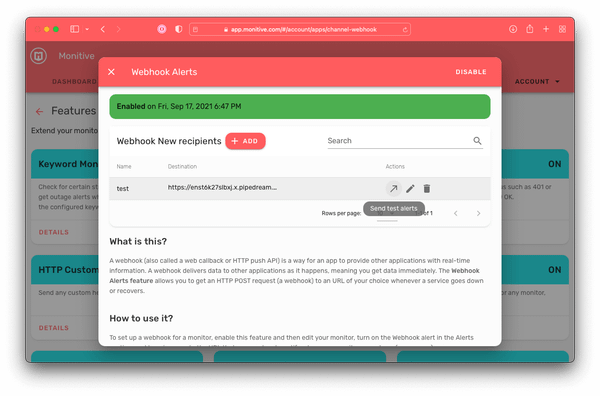
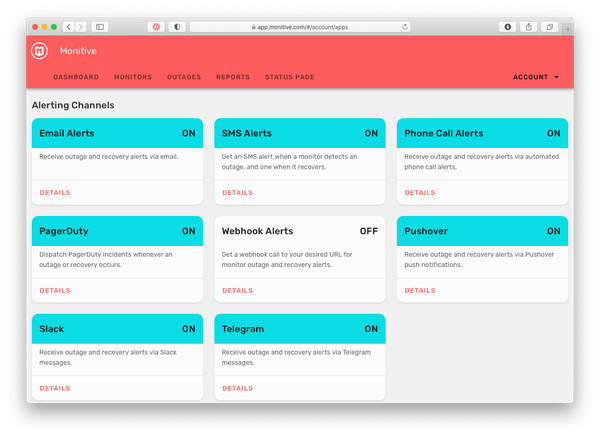
Starting today, the webhook alerts are manageable from the Recipients screen, along with all the other alert types.
This release migrates the SMS and Phone Call alerting settings from a monitor, from being user-bound to being managed in the Recipients screen.
Now you can add as many SMS and Phone Call recipients you need, and set them up as alerting recipients on any of your monitors.
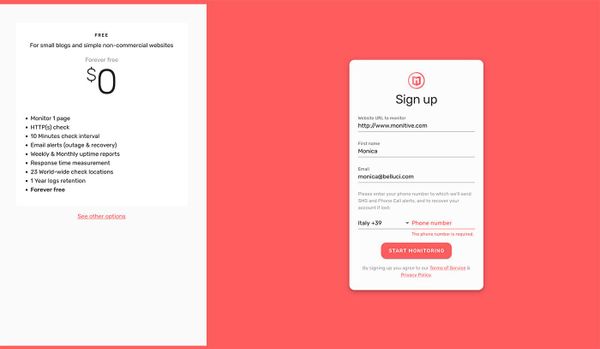
This release adds the website input box in the Forever free signup page. Previously you could sign up without a website, which resulted in many accounts created without anything to monitor. Since Monitive is only useful when it monitors something, we're now requiring a website for the free account signup.